Matrix Sport Lab Professional Edition
AI pose recognition, smart video analysis
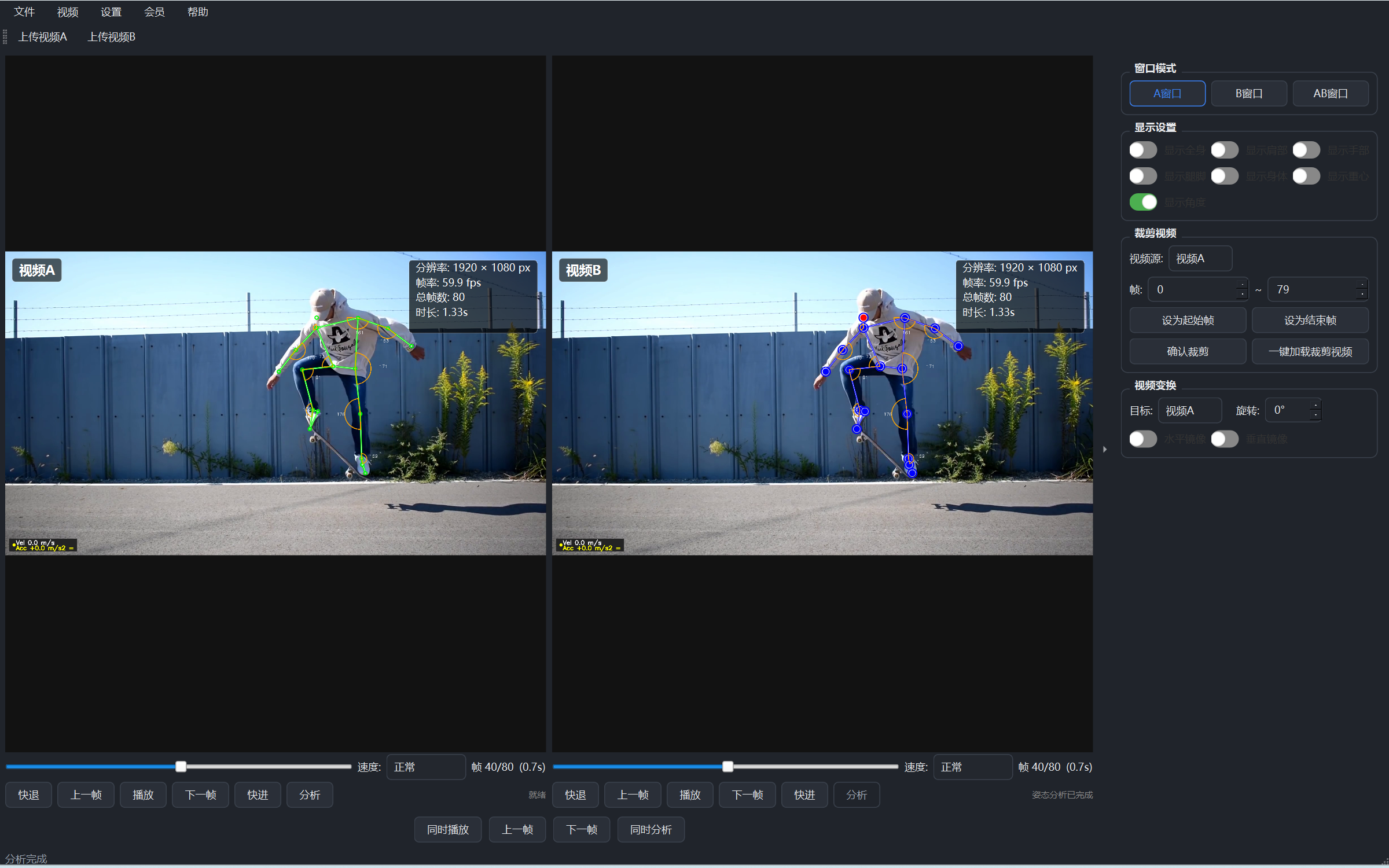
Tap one button and let AI read the pose - it draws the human skeleton right on the video. Whether the move is standard, where the power goes wrong - it's all clear at a glance. Pair two videos on one screen to make professional action teaching more intuitive and more effective.
Core Features
- AI action recognition: captures the whole-body skeleton; good or poor moves are clear at a glance
- Skeleton overlay: multiple styles show the pose clearly
- Motion trajectory: solid/dashed/gradient/glow styles record the movement path clearly
- Dual-video comparison: student vs standard demo side by side in sync
- Membership unlock: activate membership for core features such as action recognition
Features · Illustrated Guide
Sign in, unlock action recognition instantly
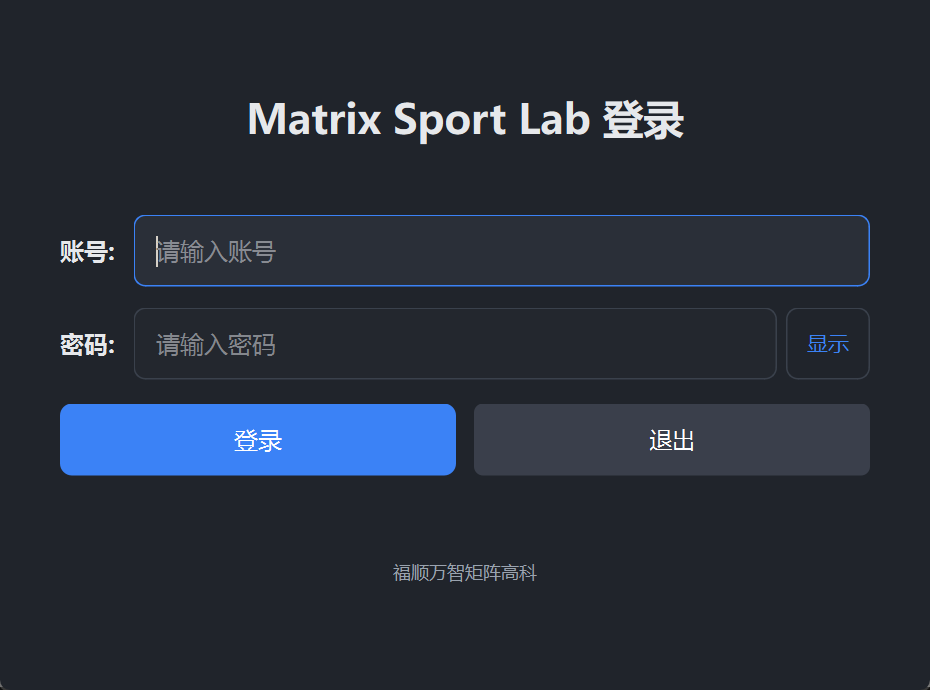
- Account login: sign in with your account after launch; no complex setup
- Membership unlock: action recognition and other core features with membership
AI action recognition, one-click skeleton
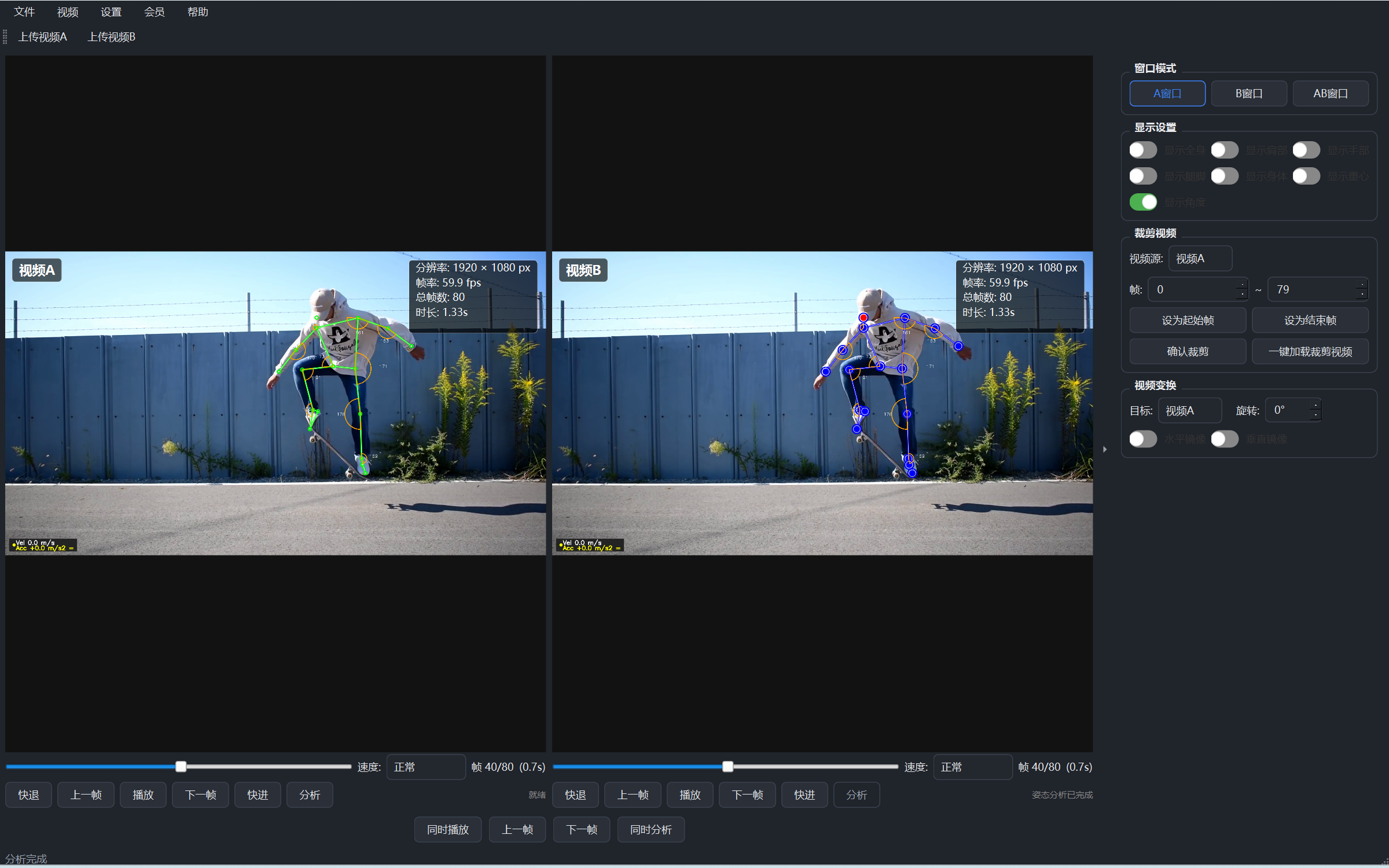
Open a video: click "Open Video" to load a recording (MP4 / AVI / MOV).
One-click recognition: click "Action Recognition"; the system draws the whole-body skeleton automatically.
Watch the progress: the processing progress is shown in real time.
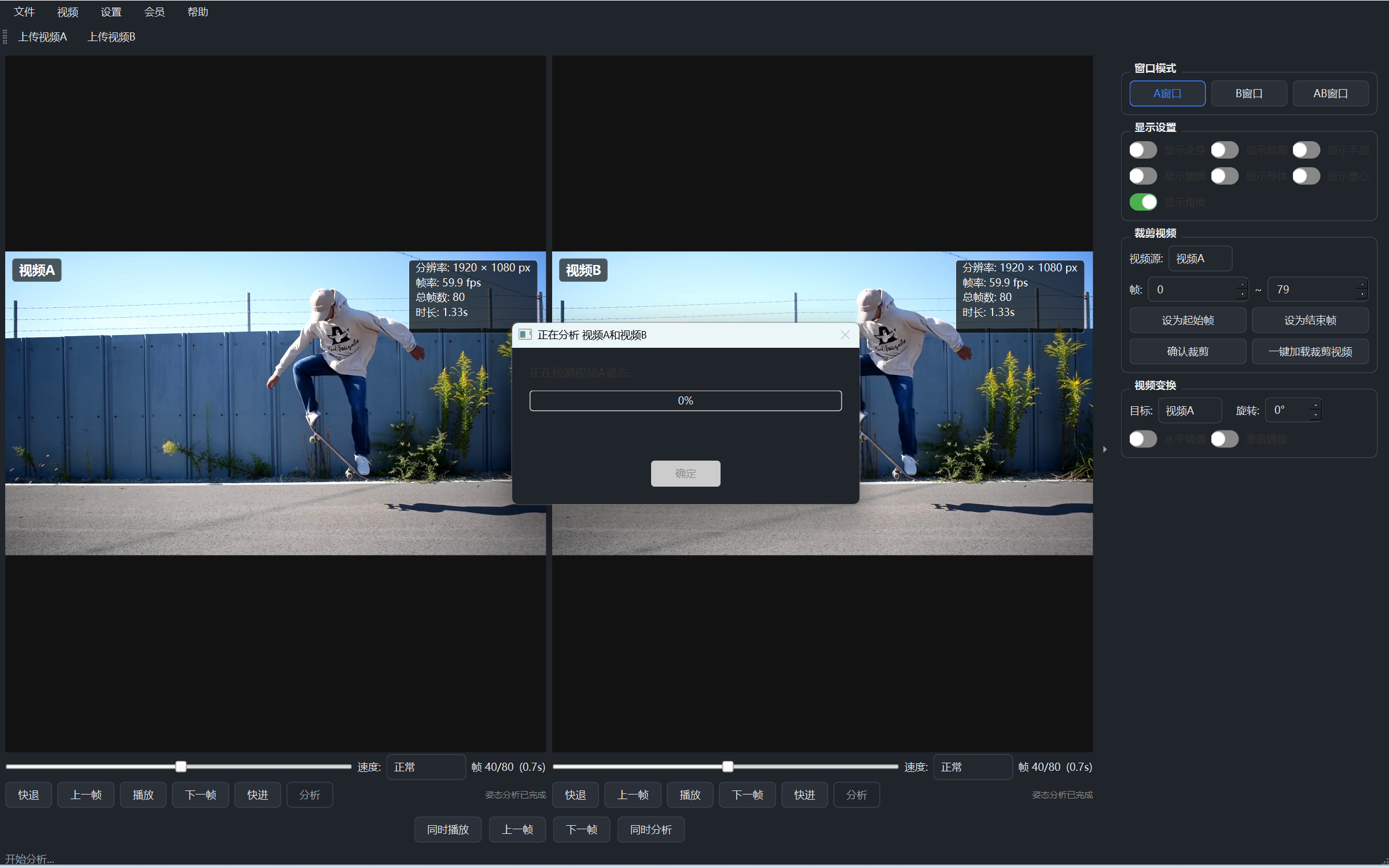
Dual-video comparison: student vs standard demo
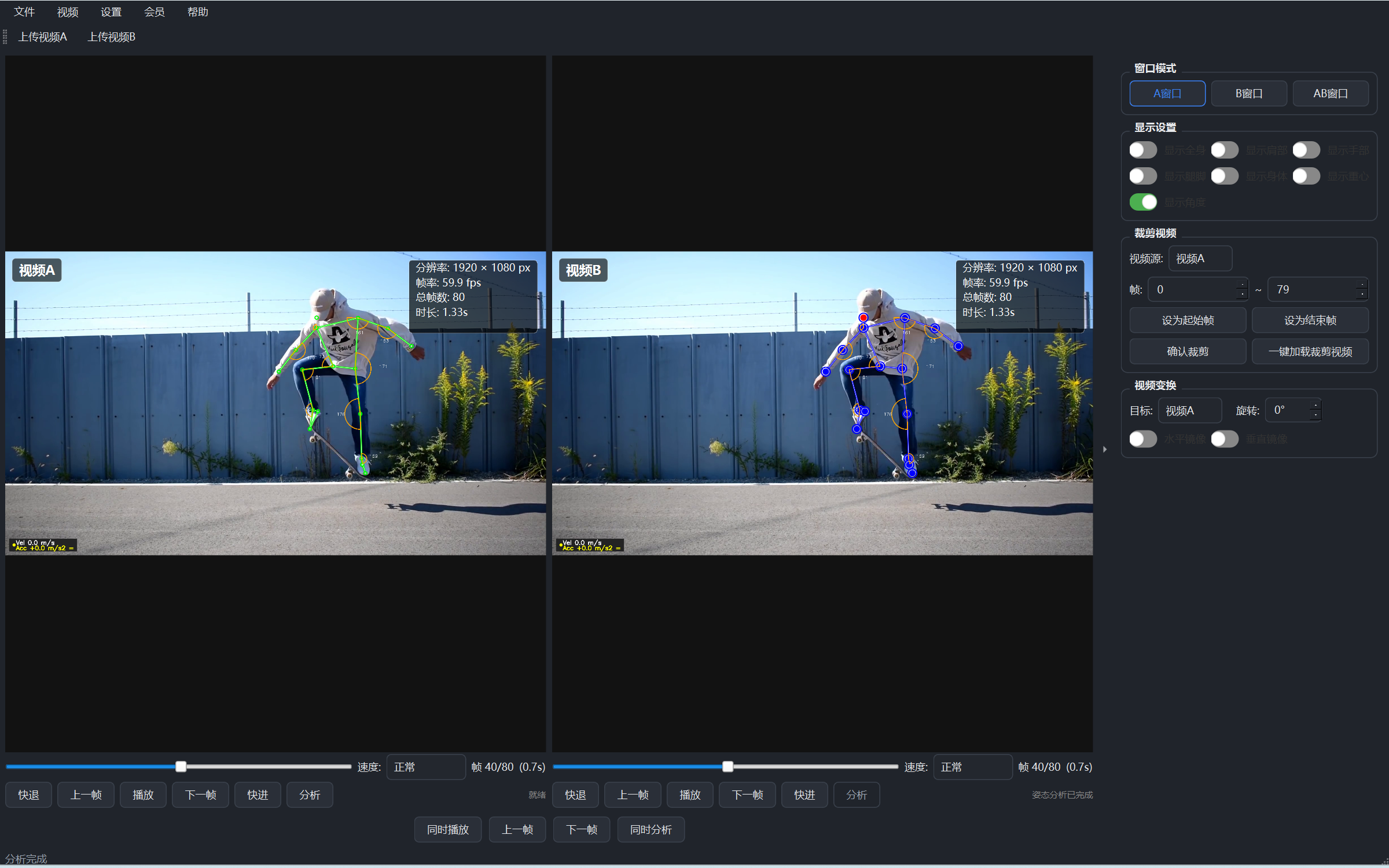
Enter dual-video: click "AB Window" to split the main window into two areas.
Sync playback: both play in sync, with slow motion and moment-by-moment replay.
Compare: with the skeleton shown, compare the student and the standard moment by moment.
Display settings: highlight exactly what you want
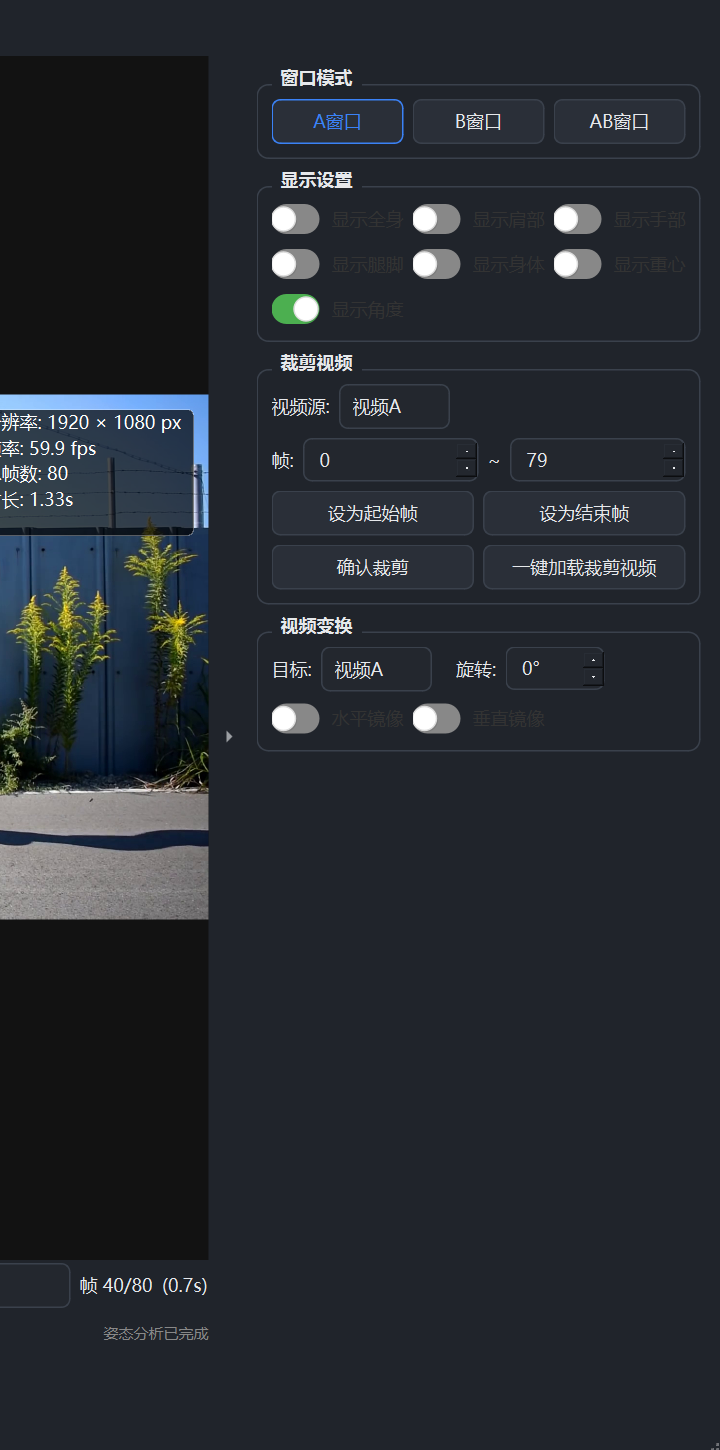
- Skeleton toggle: show/hide skeleton lines in one click
- Body-part display: shoulders, arms, legs, torso and center of mass controlled separately
- Display styles: solid, dashed, gradient, glow and more
Membership: unlock core features like recognition
- Plans: monthly ¥9.9 / yearly ¥98 / lifetime ¥198
- Benefits: activating membership unlocks core features like action recognition
- Activation: via activation code or online, bound to your device