Table of Contents
1. Product Introduction
The Universal Edition uses AI to automatically recognize human motion, drawing the athlete's skeleton directly on the video and recording movement trajectories, so coaches and athletes can see every movement more clearly and train more scientifically.
- AI Motion Recognition: Automatically captures the full-body skeleton, making every movement state easy to see
- Skeleton Display: Multiple styles present body posture clearly on the frame
- Motion Trajectory: 4 styles record the movement path, so the power phase is easy to understand
- Dual Video Comparison: The student's movement and the standard demonstration play side by side in sync
- Membership: Activate Membership to unlock core features such as Motion Recognition
2. Installation & Activation
The Universal Edition is installed on your computer with the installer. All required components are bundled, so nothing needs to be installed manually. After launch, the main window opens directly with no account login required.
Download and Install: Download MatrixSportLab-Universal-v2.0.1-setup.exe from the official website, double-click it and follow the prompts to finish installation (it installs into the current user directory and does not require administrator rights).
Launch the Program: After installation, start it from the Start menu or the desktop shortcut. The first launch automatically loads the bundled components, so please wait a moment.
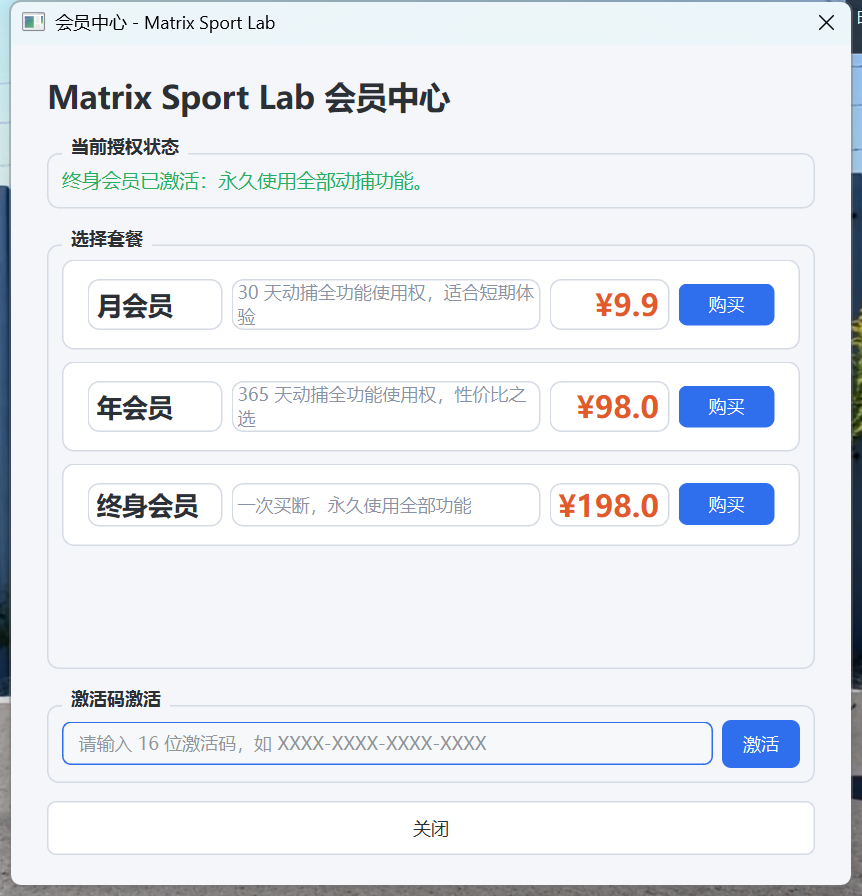
Activate Membership: No login is needed after launch. Go straight to Membership Center and enter a 16-digit activation code, or activate Membership online.
3. Main Window Overview
The main window of the Universal Edition combines video playback, Motion Recognition, result display and operation controls in one place.
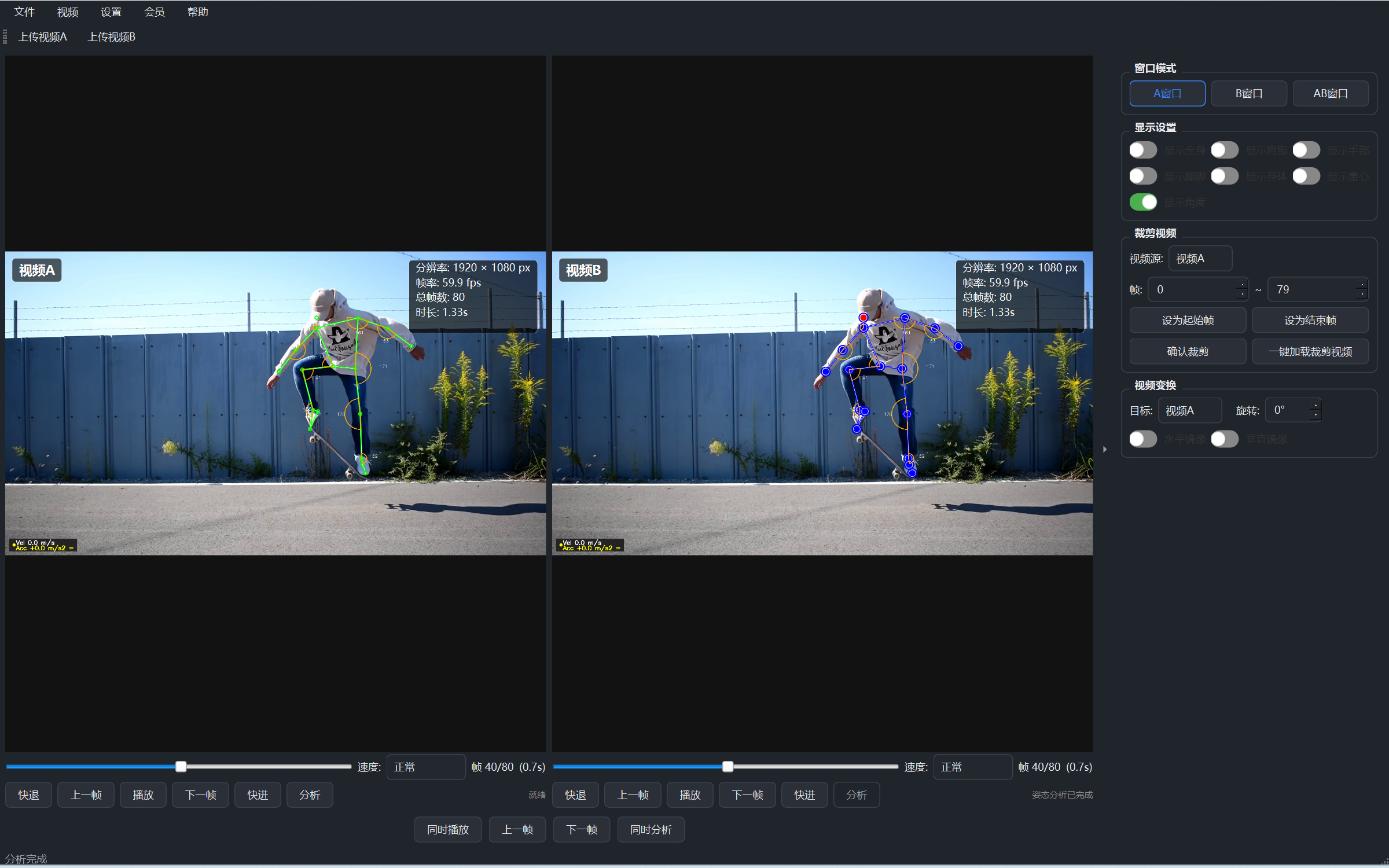
- Video Display Area: Plays the picture, with the skeleton and trajectory overlaid
- Control Panel: Playback control, progress, speed adjustment
- Function Menu: Entries for Motion Recognition, Display Settings, Membership Center and more
4. Video Playback & Dual Video Comparison
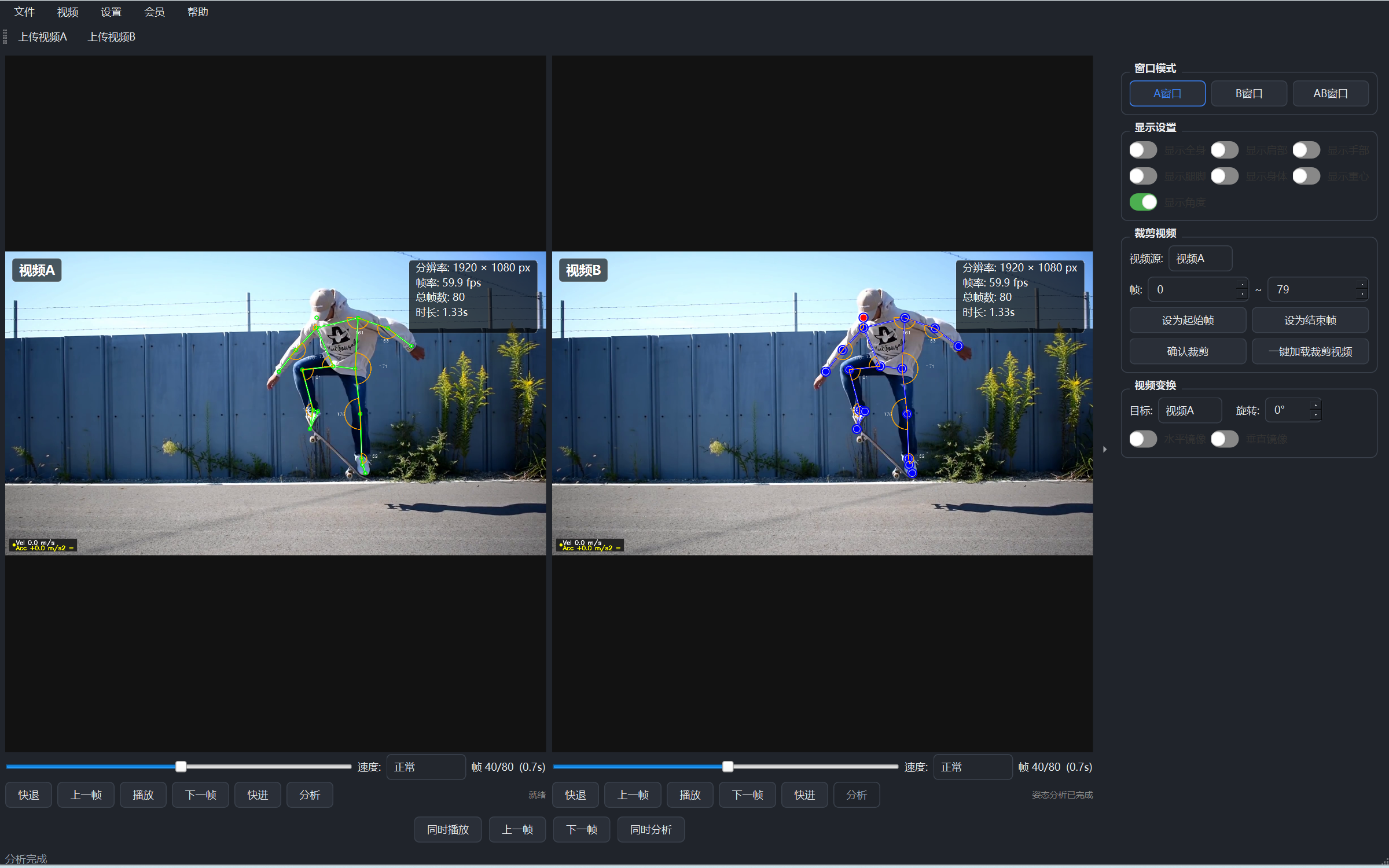
Open Video: Click Open Video to load a sports recording (MP4/AVI/MOV).
Dual Video Mode: Enter dual video mode and load the student's movement and the standard demonstration video separately.
Synchronized Playback: Both videos play in sync, with second-by-second replay and slow-motion comparison.
- Playback Control: Play/pause, fast forward/rewind, second-by-second replay, slow motion up to 2x speed
- Progress Seeking: Drag the progress bar to jump quickly, with time information clearly displayed
5. Motion Recognition & Skeleton Display
Core feature: recognize the human body in the video and draw its skeleton on the frame.
Load Video: Open a video file containing human movement.
Start Recognition: Click Motion Recognition and the system automatically draws the full-body skeleton.
Check Progress: Processing progress is shown while recognition runs.
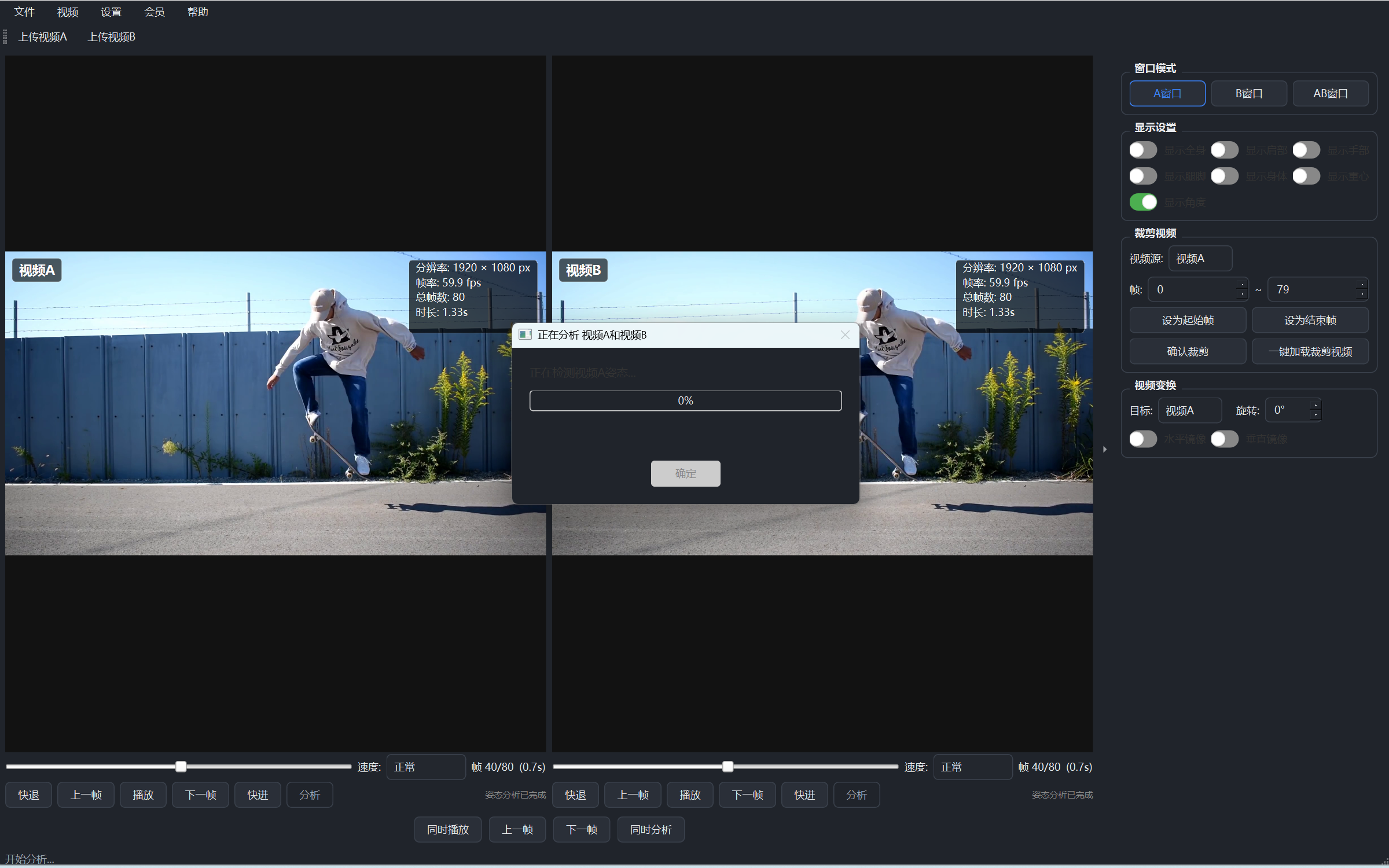
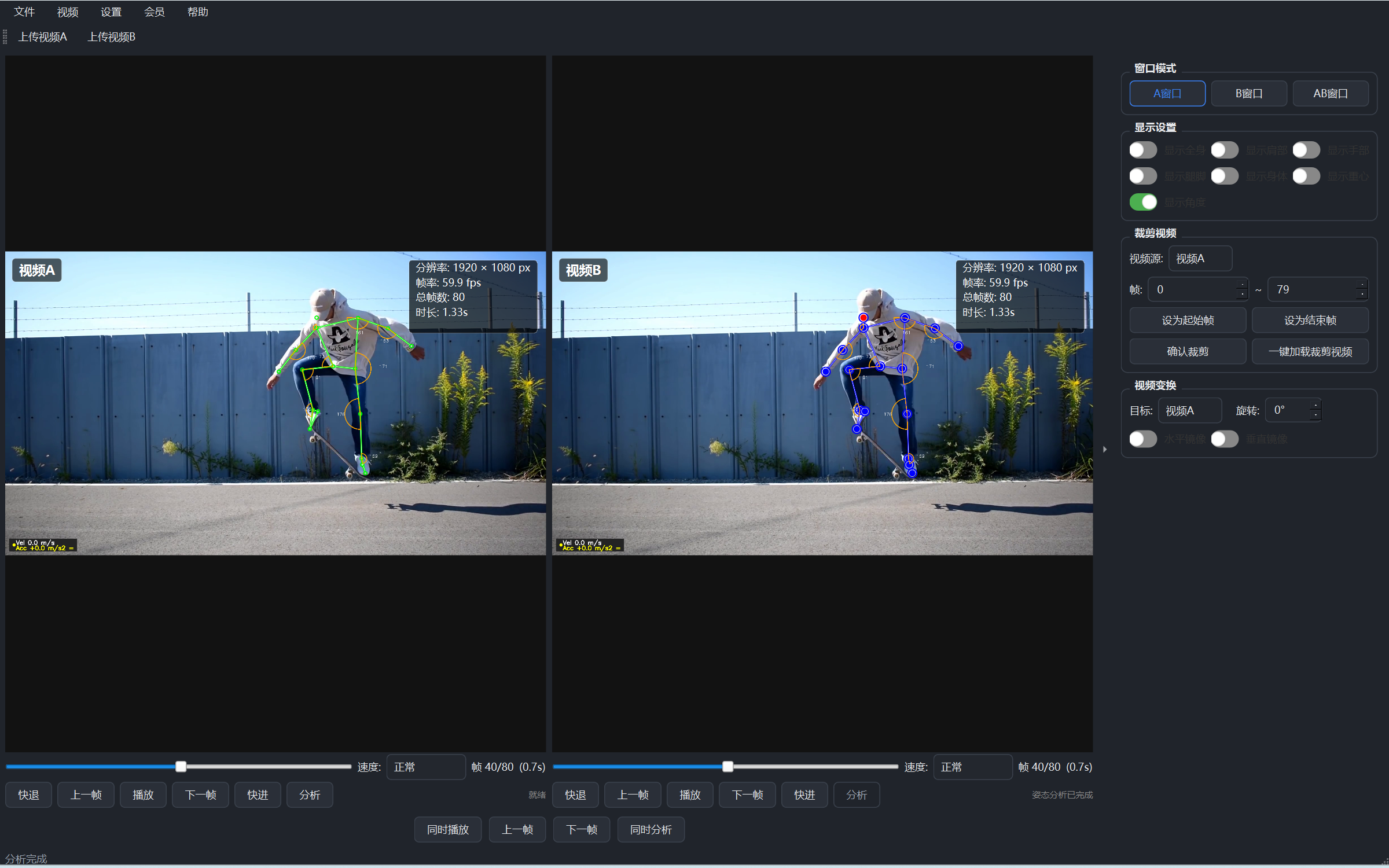
- Skeleton: A complete skeleton connecting the head, shoulders, elbows, wrists, hips, knees, ankles and other body parts
- Skeleton Lines: Lines between body parts form the full-body skeleton, making posture directly visible
6. Display Settings
Adjust how the skeleton and trajectory are displayed as needed to highlight the parts you want to see.
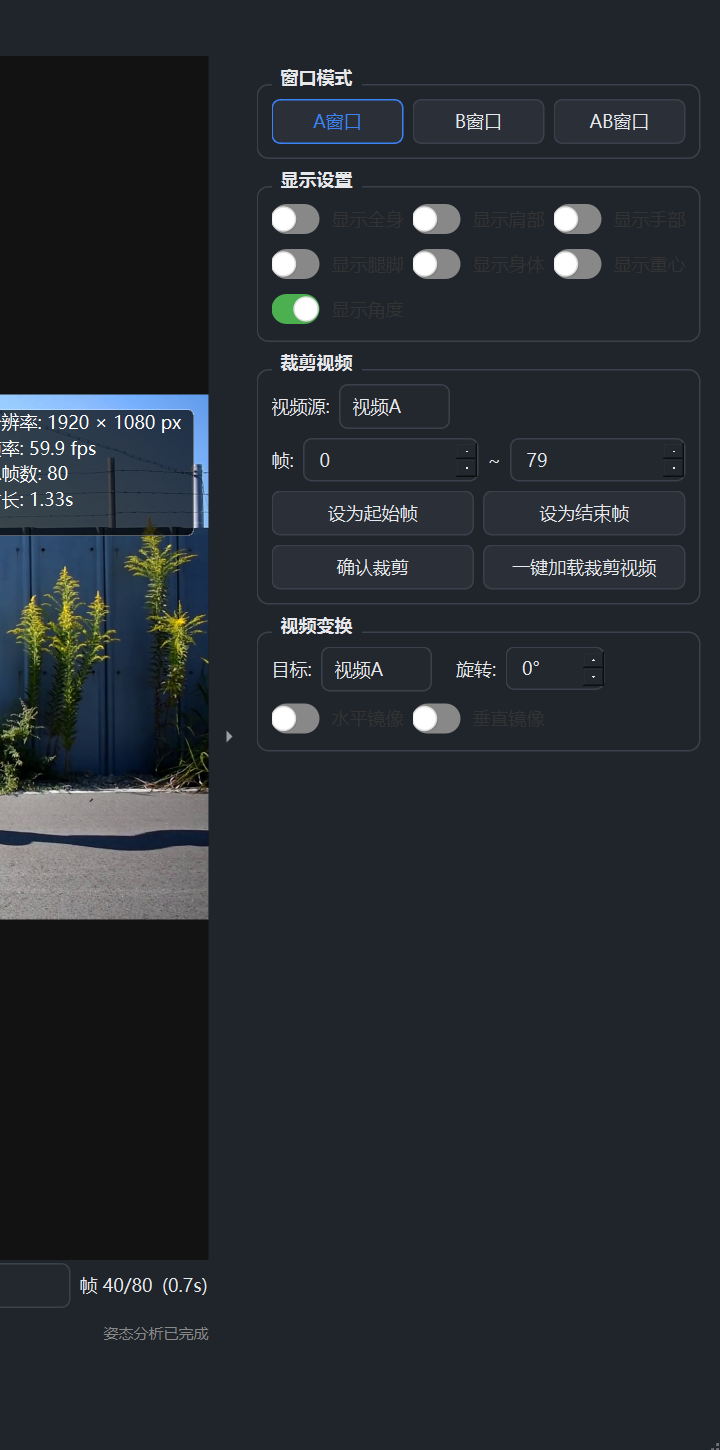
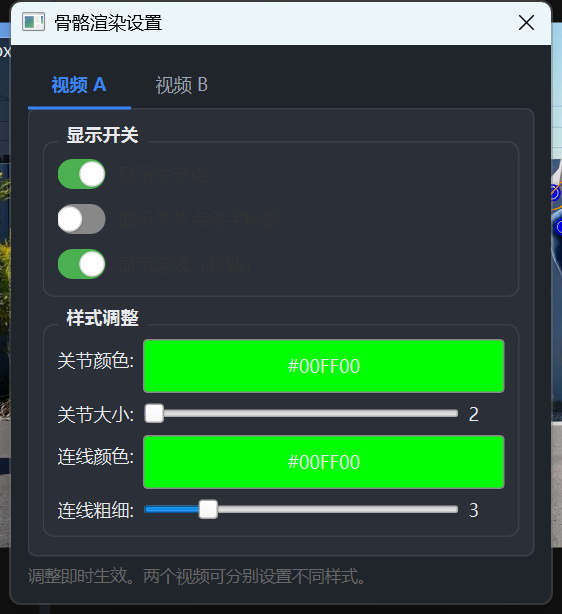
- Skeleton Switch: Show/hide the skeleton lines
- Body Part Display: Independent control of shoulders, arms, legs, torso and center-of-mass zones
- Display Styles: Solid, dashed, gradient, glow and other styles
7. Membership Activation
The Universal Edition requires an activated Membership to use core features such as Motion Recognition. Membership benefits are activated per device.
- Activate Membership: In Membership Center, choose a monthly, yearly or lifetime plan and activate it with an activation code or online
- Membership Benefits: Unlocks all core features such as Motion Recognition and Skeleton Display
8. FAQ
| Question | Answer |
|---|---|
| Startup is slow? | The first launch automatically loads the bundled components. This is normal, so please wait a moment. |
| No detection / no skeleton? | Make sure the person in the video is clearly and fully visible. You can also turn on the skeleton display switch in Display Settings. |
| How do I activate Membership? | Open Membership Center, choose a plan and activate it. Activation codes and online activation are both supported. |
| Membership stops working after switching computers? | Membership is bound to the current device. Contact customer support to unbind and transfer it when you switch machines. |
| System requirements? | Windows 10/11 64-bit, with sufficient memory recommended. The better the computer's performance, the smoother video recognition will be. |