Matrix Sport Lab Inventory System
Point-of-sale / wholesale inventory management tool
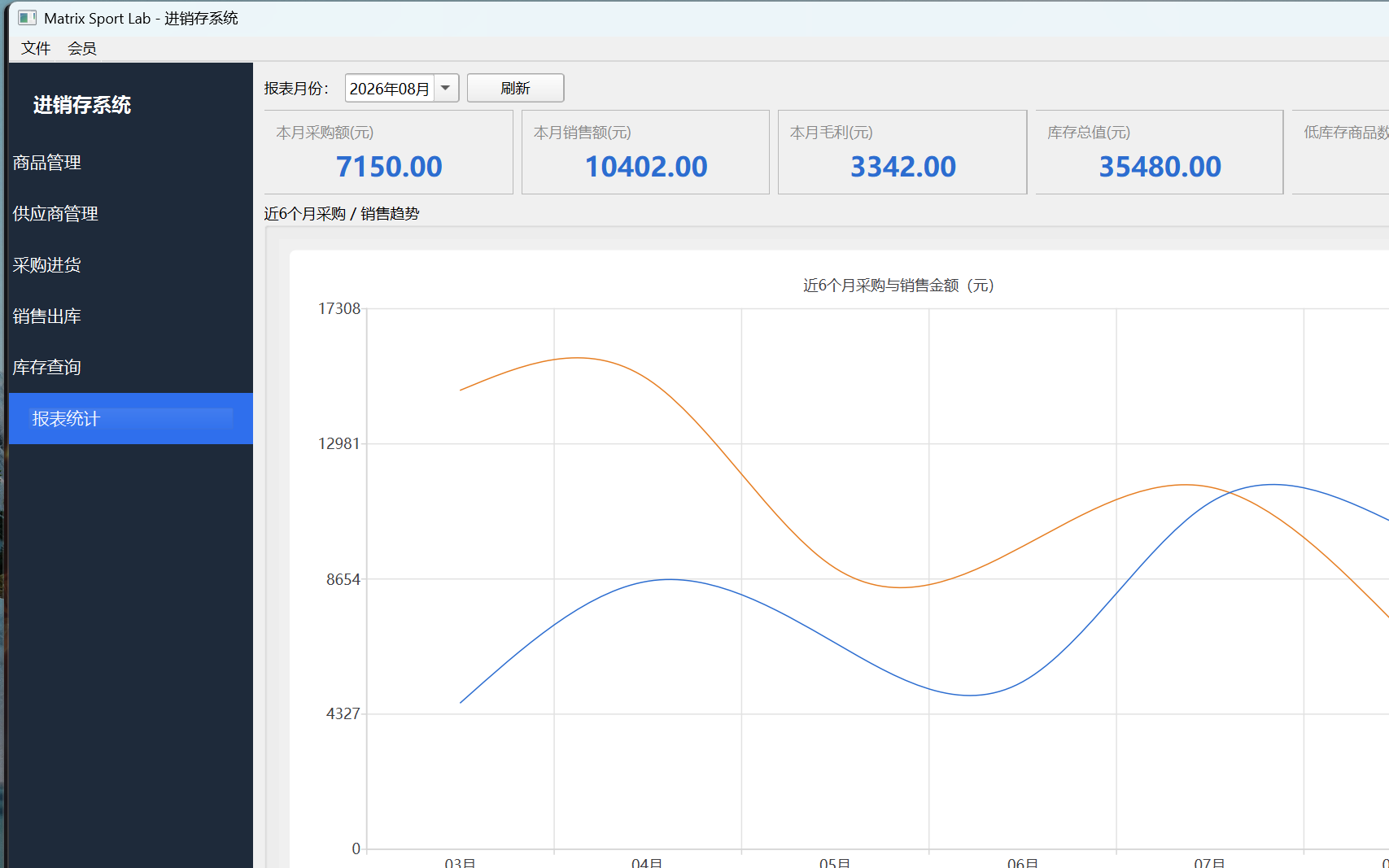
Product Intro
Report statistics: purchase amount, sales amount, gross profit and 6-month trend charts at a glance
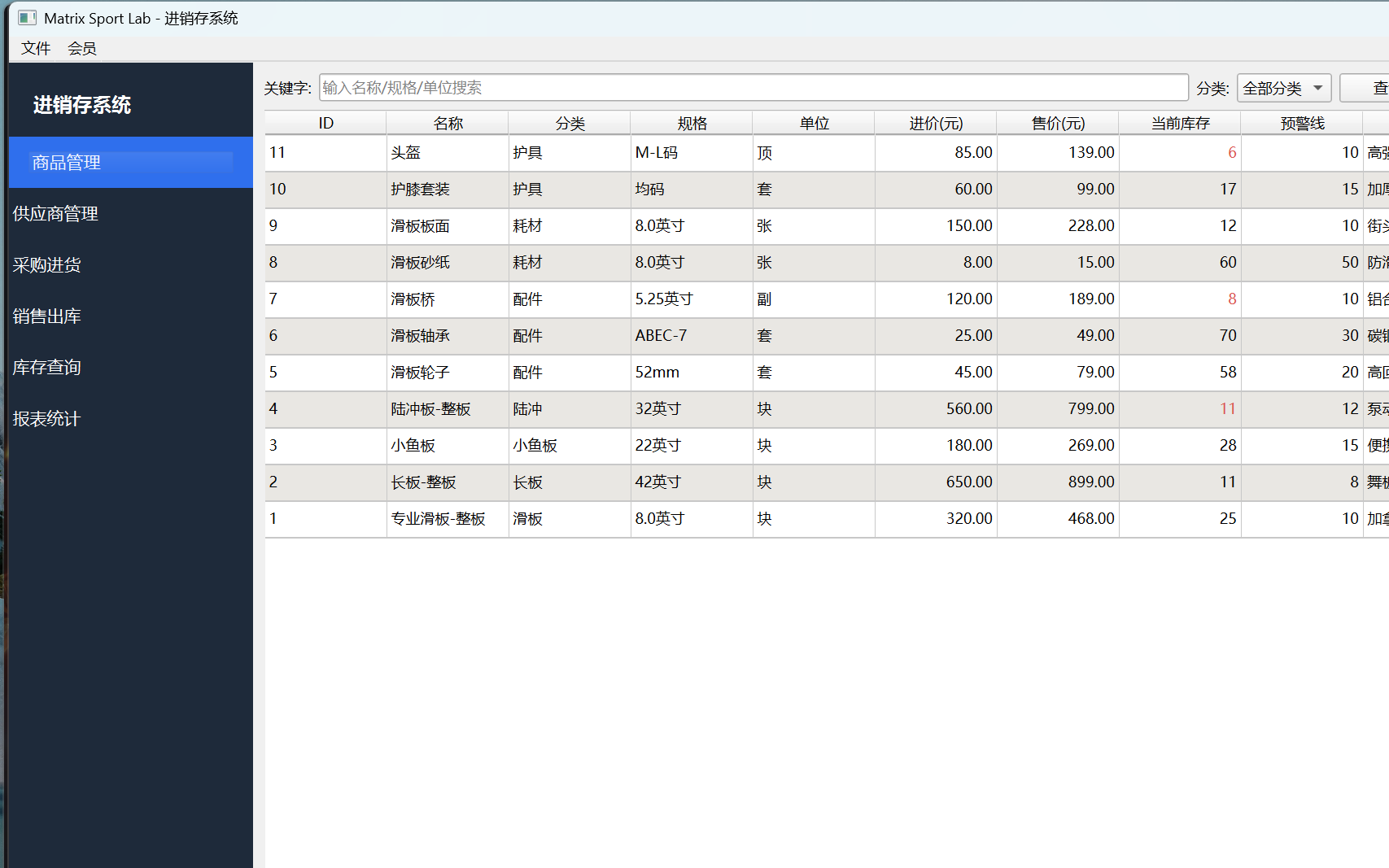
Product management: product profiles and list
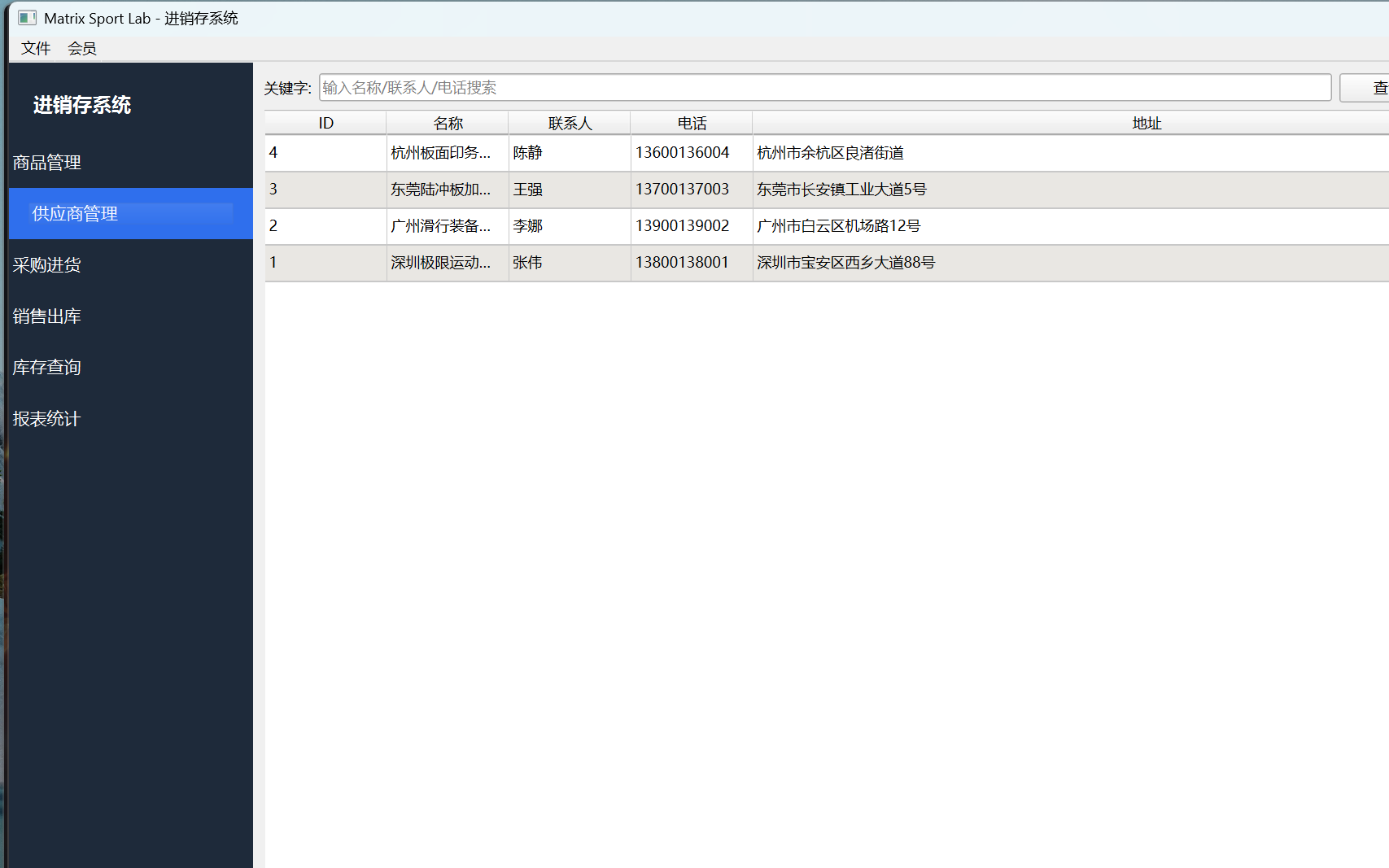
Supplier management: supplier records list
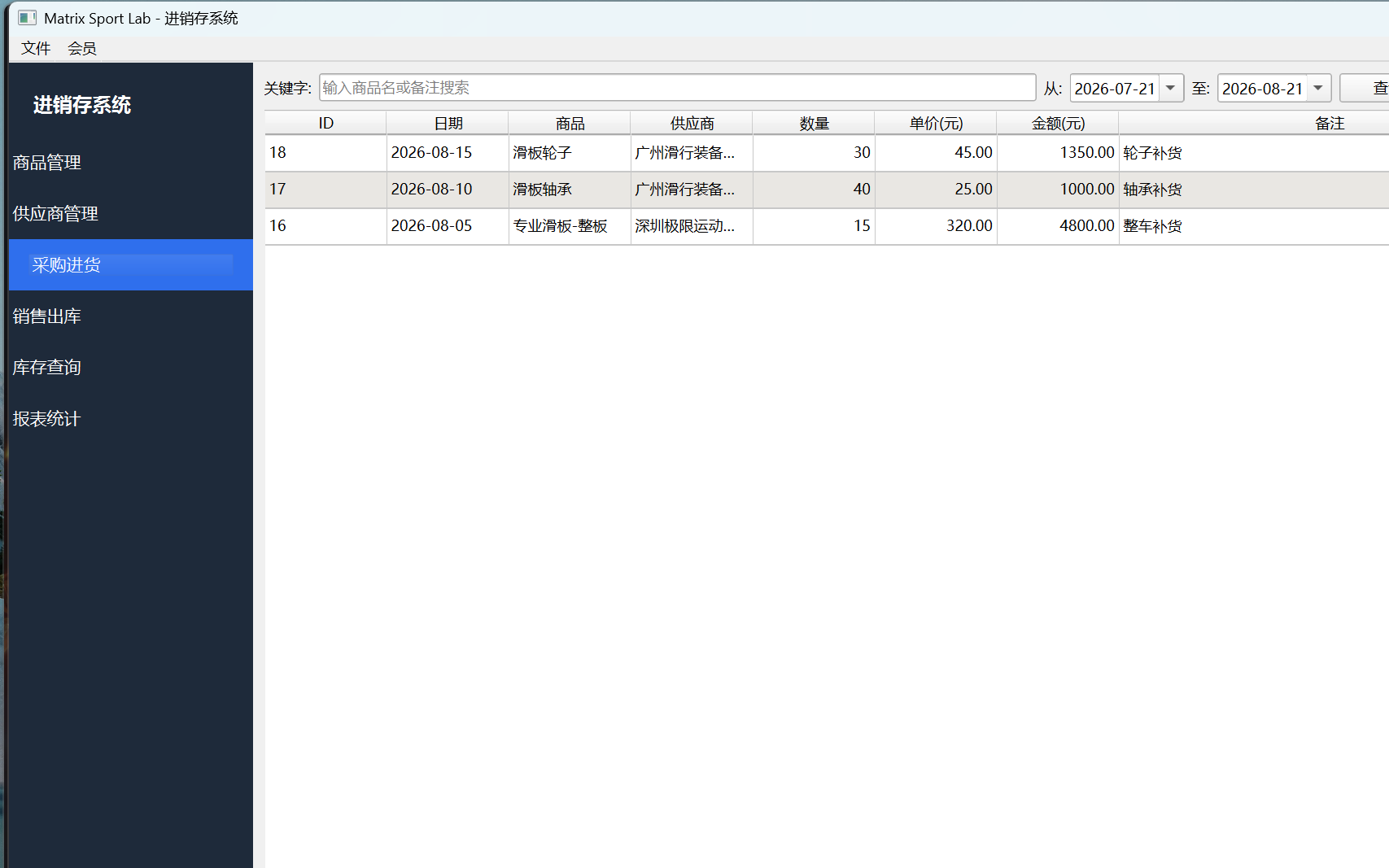
Purchase-in: record purchase orders; stock increases automatically
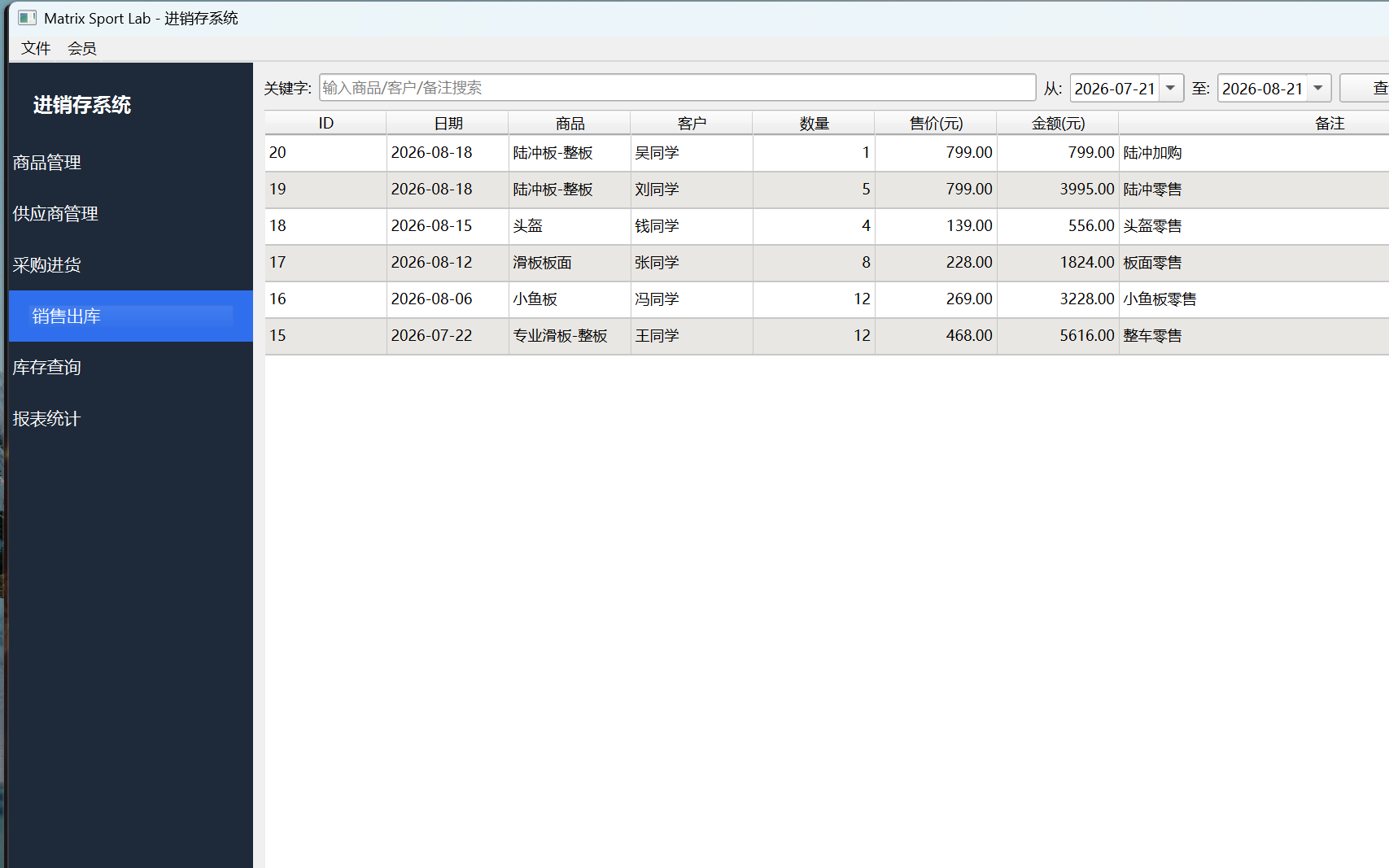
Sales-out: record sales orders; stock is deducted and validated automatically
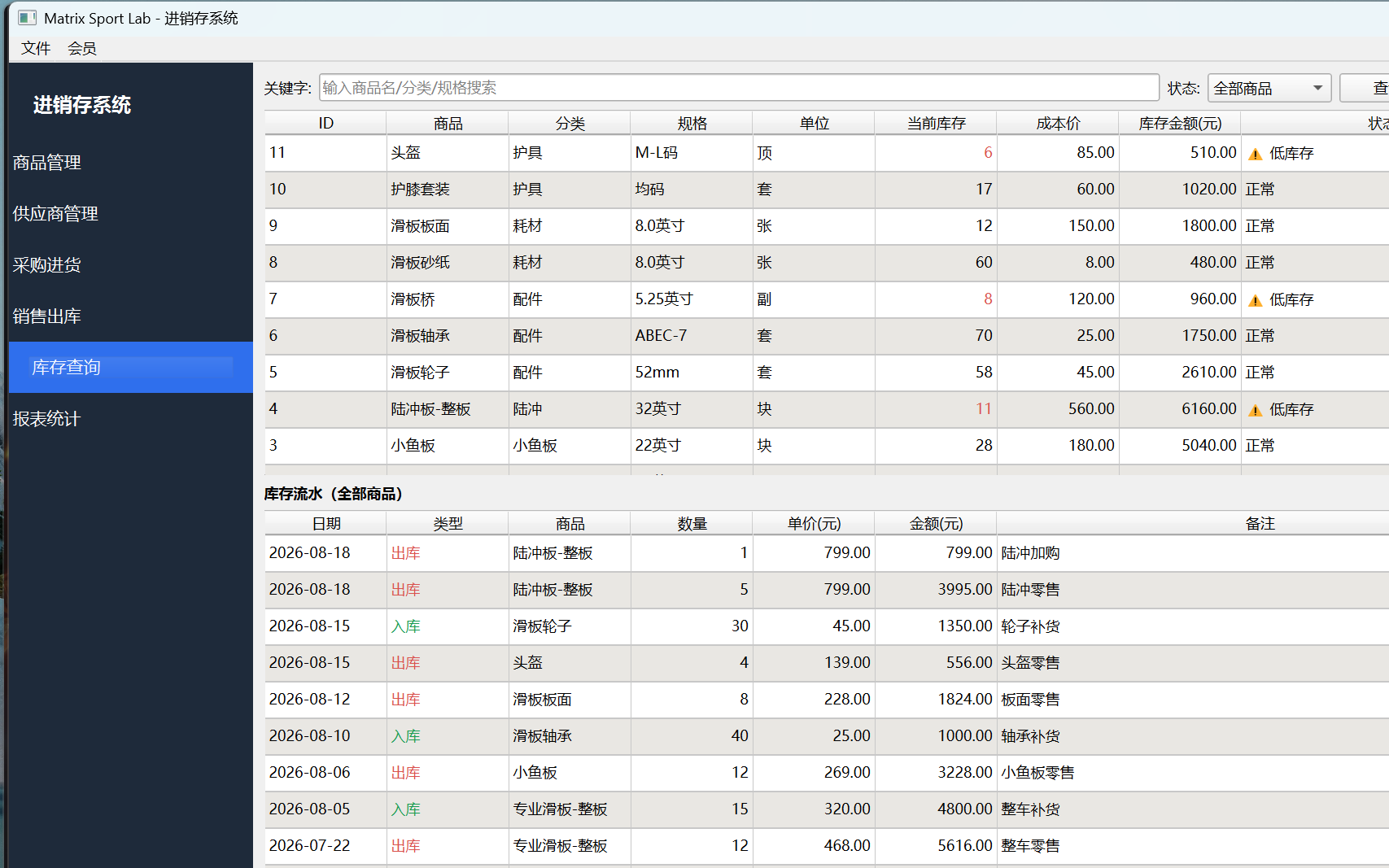
Inventory query: current stock, low-stock alerts, stock history
An independent tool for the daily inventory needs of stores and wholesalers - products, suppliers, purchases, sales, stock queries and reports all in one. No internet required; every bit of data stays on your own computer, safe and secure.
Core Features
- Product management: profiles (name/category/spec/cost/price/stock alert)
- Supplier management: supplier records (name/contact/phone/address)
- Purchase-in: record purchase orders; stock increases automatically
- Sales-out: record sales orders; stock is deducted and validated automatically
- Inventory query: current stock, low-stock alerts, stock history
- Report statistics: purchase/sales amounts, gross profit and trend charts
Features · Illustrated Guide
All-in-one inventory management, full business visibility
- Local storage: data stays on your own computer - nothing uploaded, no internet, privacy safe
- Auto sync: after purchase/sales changes, inventory and reports refresh automatically
Product profiles & supplier management
- Product profile: name/category/spec/unit/cost/price/stock-alert threshold
- Supplier record: name/contact/phone/address/notes
- Quick search: fast by name/category/contact
Purchase-in, stock increases automatically
1
Select records: choose the product and supplier.
2
Enter quantity & price: the system calculates the amount; you can add a business date and notes.
3
Record purchase: stock increases automatically; deleting the order rolls it back.
Sales-out, stock validated automatically
1
Select product: choose the product to ship out.
2
Enter quantity & price: the amount is calculated automatically; fill in customer, date and notes.
3
Record sale: stock is deducted and validated to prevent overselling.
If the sales quantity exceeds current stock, the system warns "Insufficient stock" - please purchase-in more or reduce the sales quantity.
Inventory query & low-stock alerts
- Current stock: quantity and stock value summary
- Low-stock alert: products below the threshold are highlighted in red
- Stock history: view every "in/out" entry in chronological order