Table of Contents
1. Product Overview
Matrix Sport Lab Student Management System is built for sports training institutions, clubs, and training camps. It provides an integrated management solution covering student records, coach management, courses, scheduling, attendance, payments, and reporting, helping institutions achieve digital, fine-grained operations.
- Student Records: student information, session balance, status filtering
- Coach Management: coach records and management
- Course Management: course pricing, number of sessions
- Scheduling: course arrangements
- Attendance Check-in: class attendance records
- Payments & Finance: collections, overdue payment reminders, payment history
- Reports & Statistics: monthly revenue, overdue payments, enrolled students, 6-month revenue bar chart
2. Installation and Login
Install: download MatrixSportLab-TMS-v2.0.1-setup.exe from the official website, double-click to install, ready to use (no admin rights required).
Launch the Program: double-click TMSApp.exe to start.
Sign In: sign in with your account and password (e.g., admin/admin123).
3. Student Management
Create student records and manage student information and session balances.
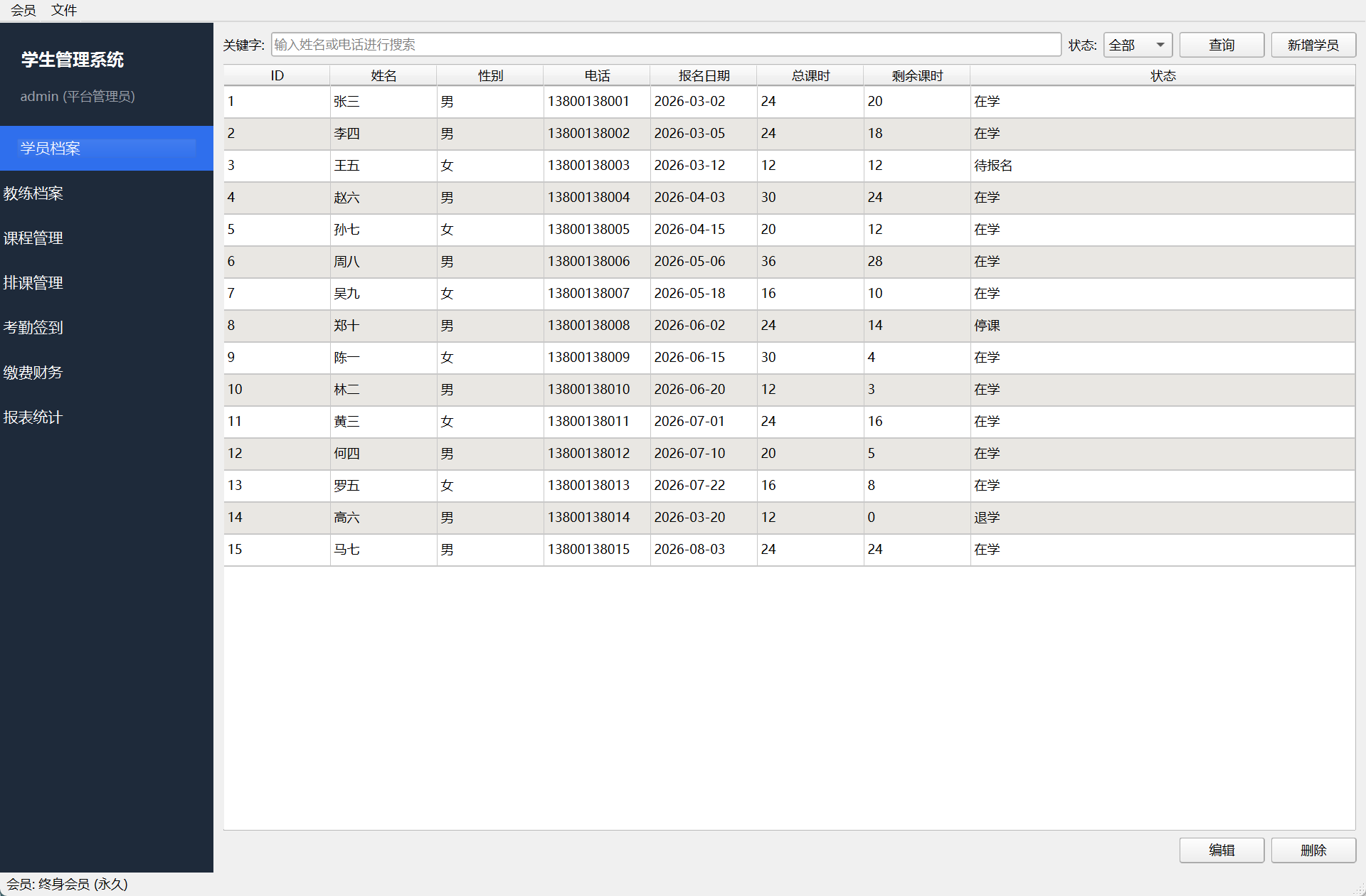
- Add Student: enter basic student information
- Session Balance: view each student's remaining sessions in real time
- Status Filtering: filter students by status such as enrolled or suspended
- Session Alert: highlight students with an insufficient session balance (e.g., 5 sessions or fewer)
4. Coach Management
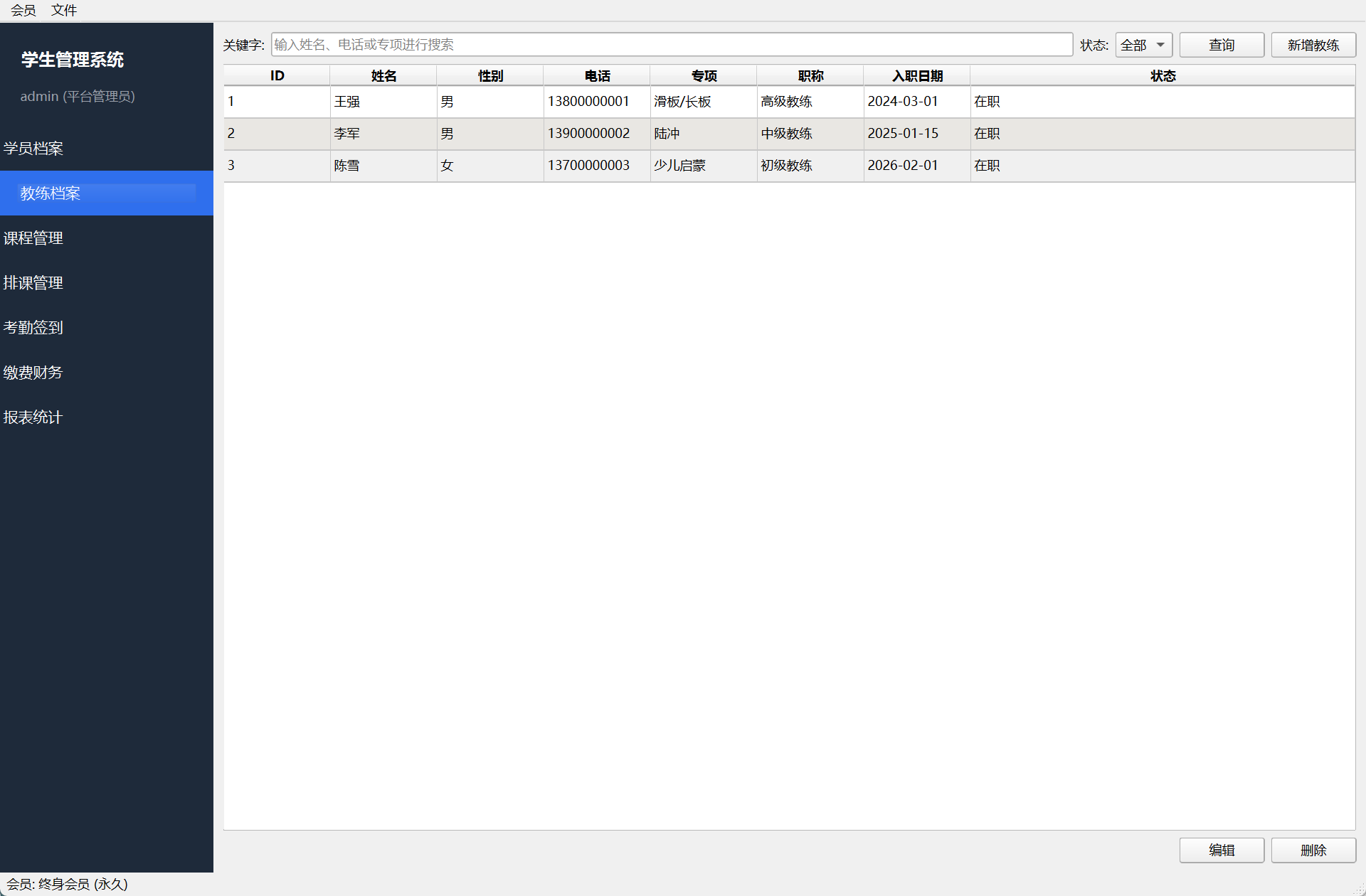
- Add Coach: enter coach records (name, contact information, teaching programs, etc.)
- Manage: edit and delete coach information
5. Course Management
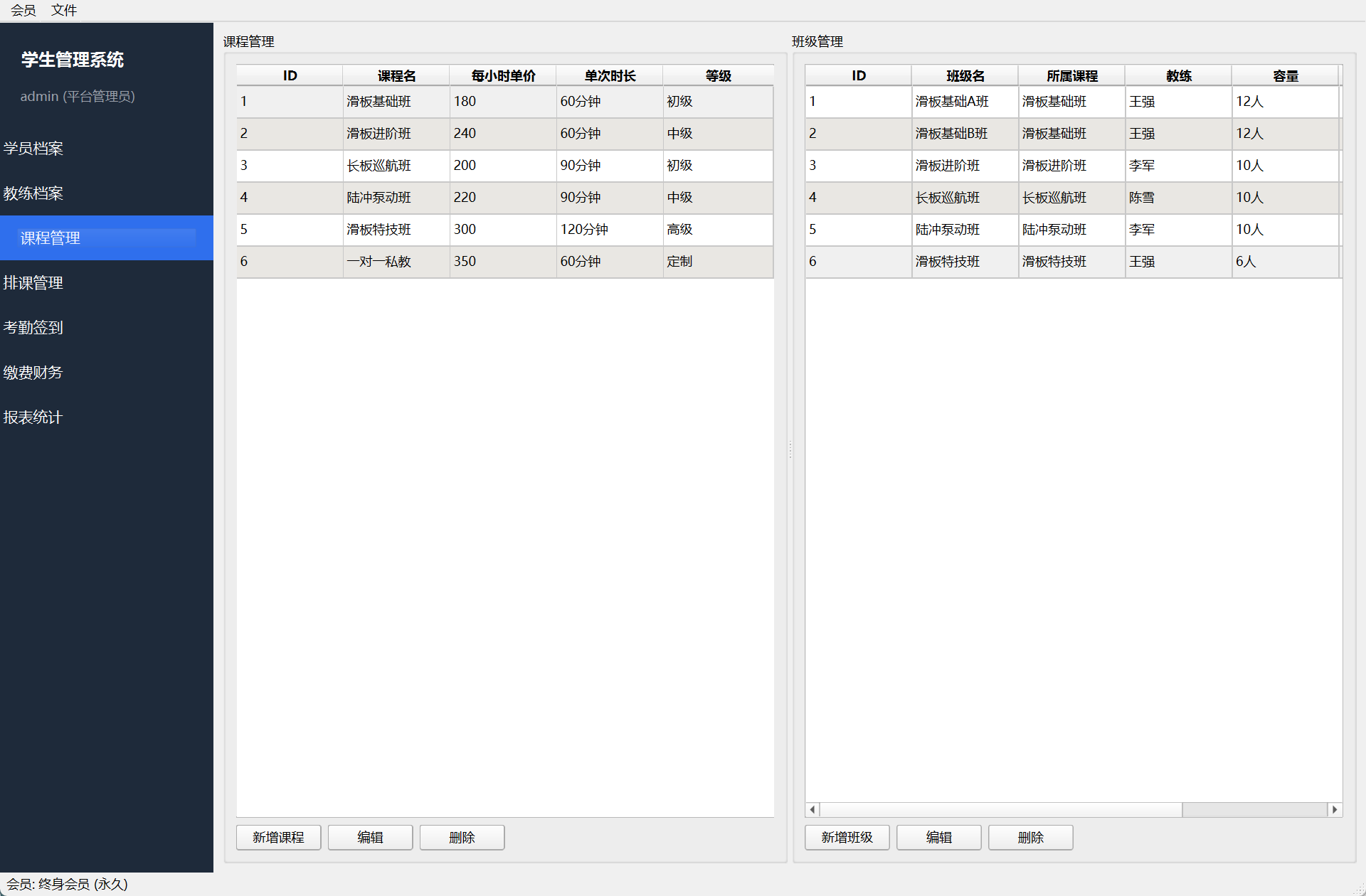
- Add Course: set the course name, pricing, and number of sessions
- Manage: edit and delete courses
6. Scheduling
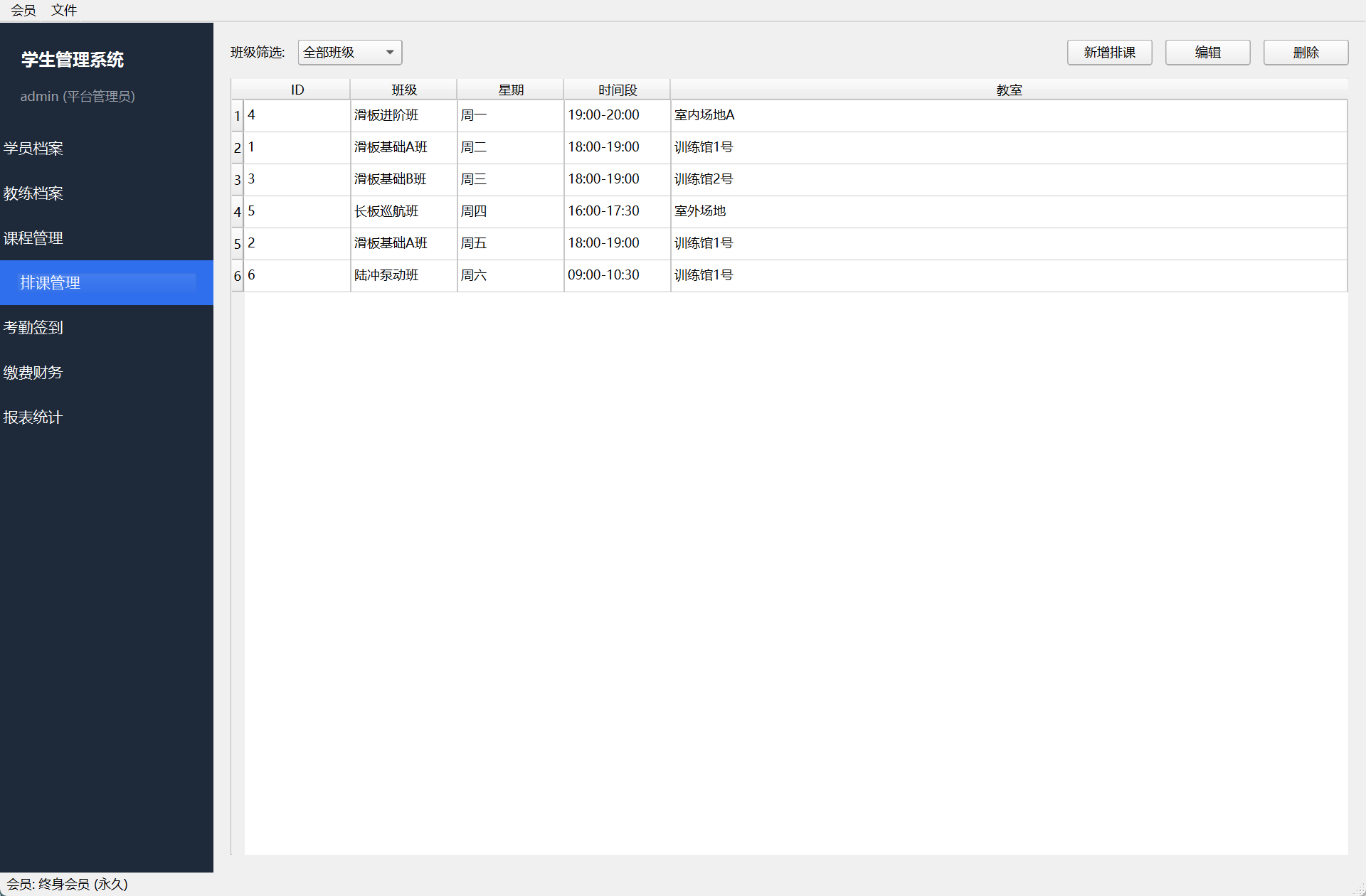
- View Schedule: view course time arrangements
- Scheduling: arrange courses for students or classes
7. Attendance Check-in
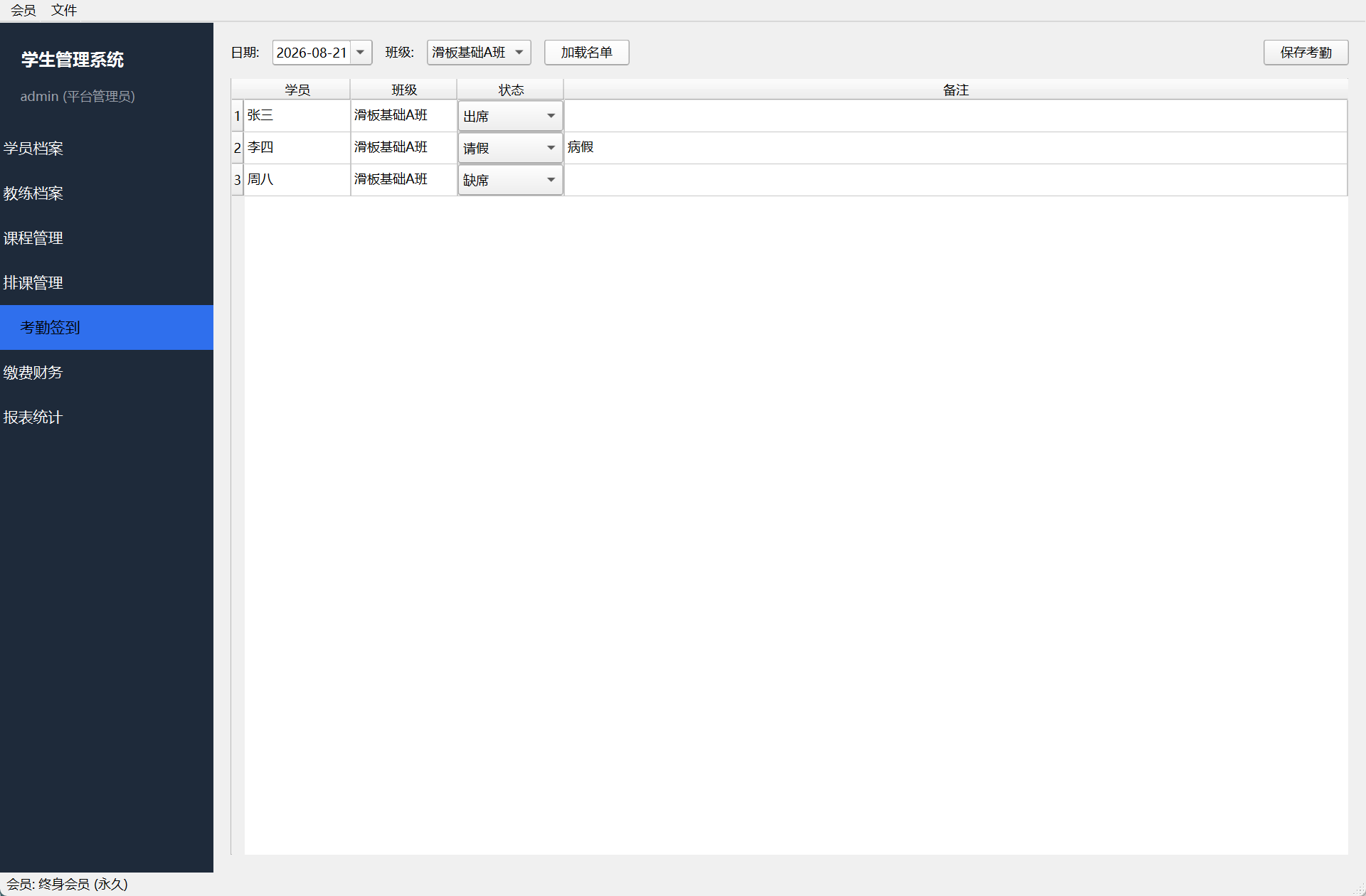
- Check-in: record student class attendance
- Attendance Records: view historical attendance details
8. Payments and Finance
Manage student payments, overdue payment reminders, and payment history.
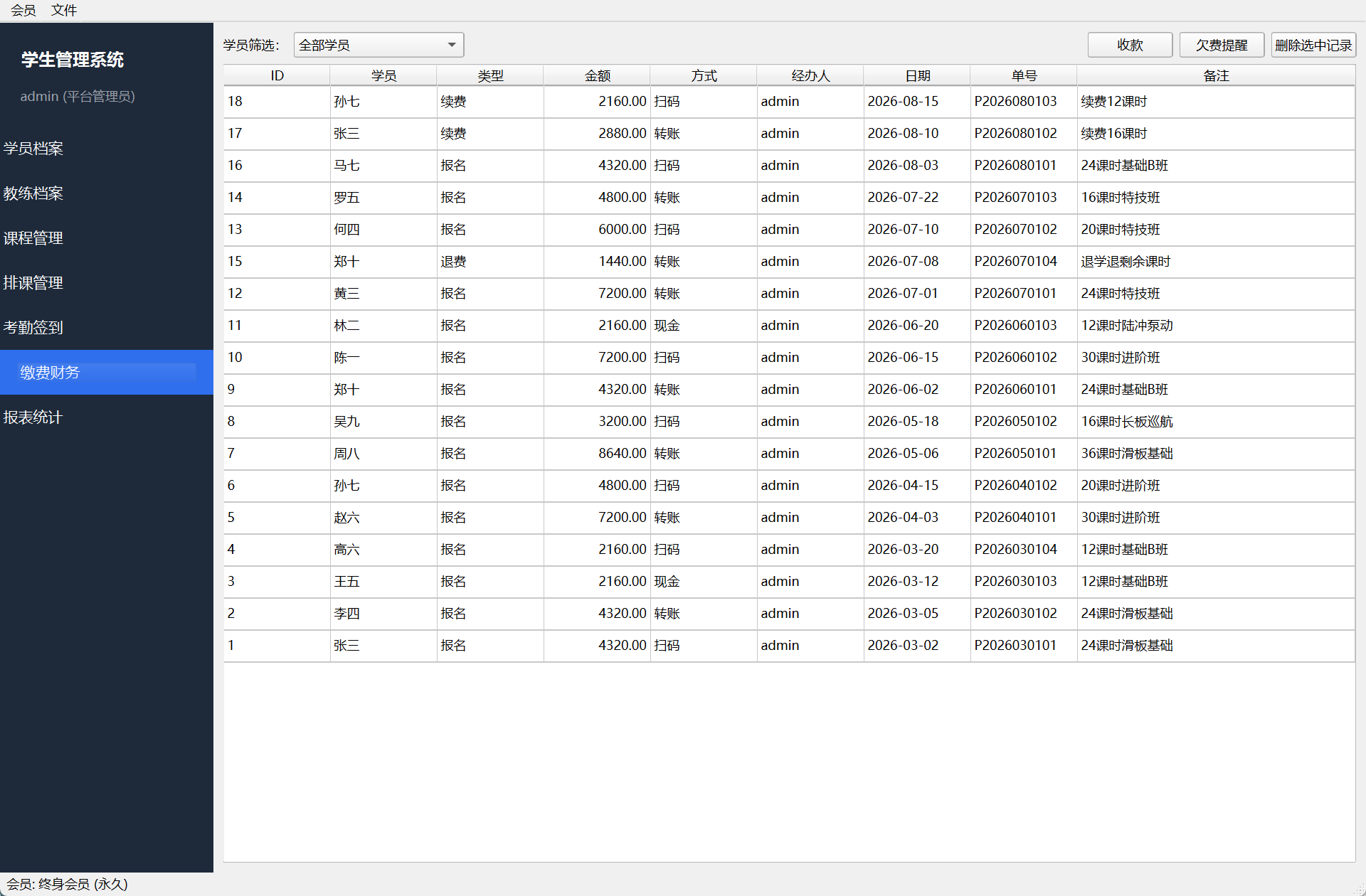
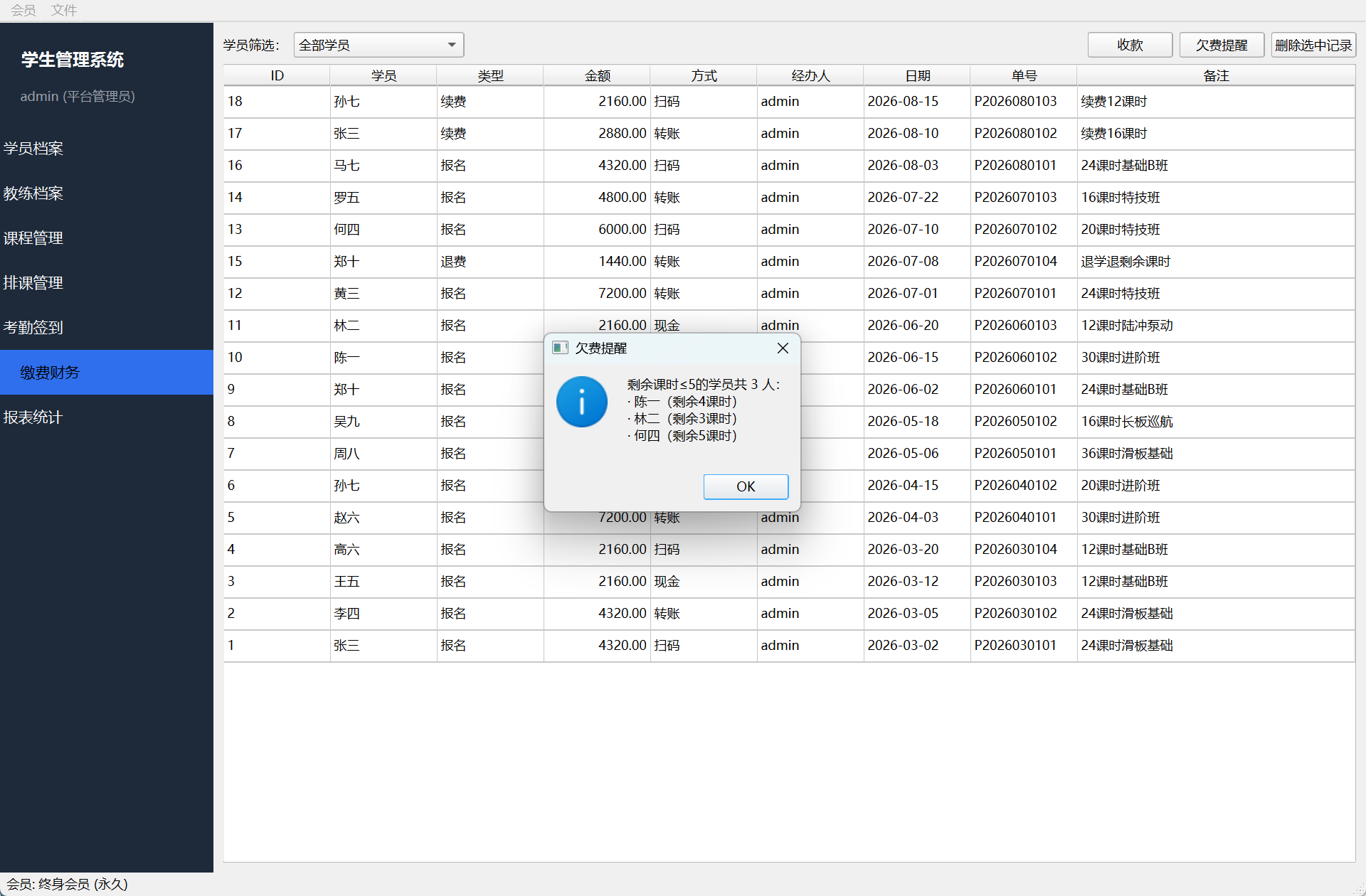
- Payment Registration: register student payments
- Overdue Reminders: automatic reminders for students with overdue payments
- Payment History: complete payment records
9. Reports and Statistics
Business data at a glance to support decision-making.
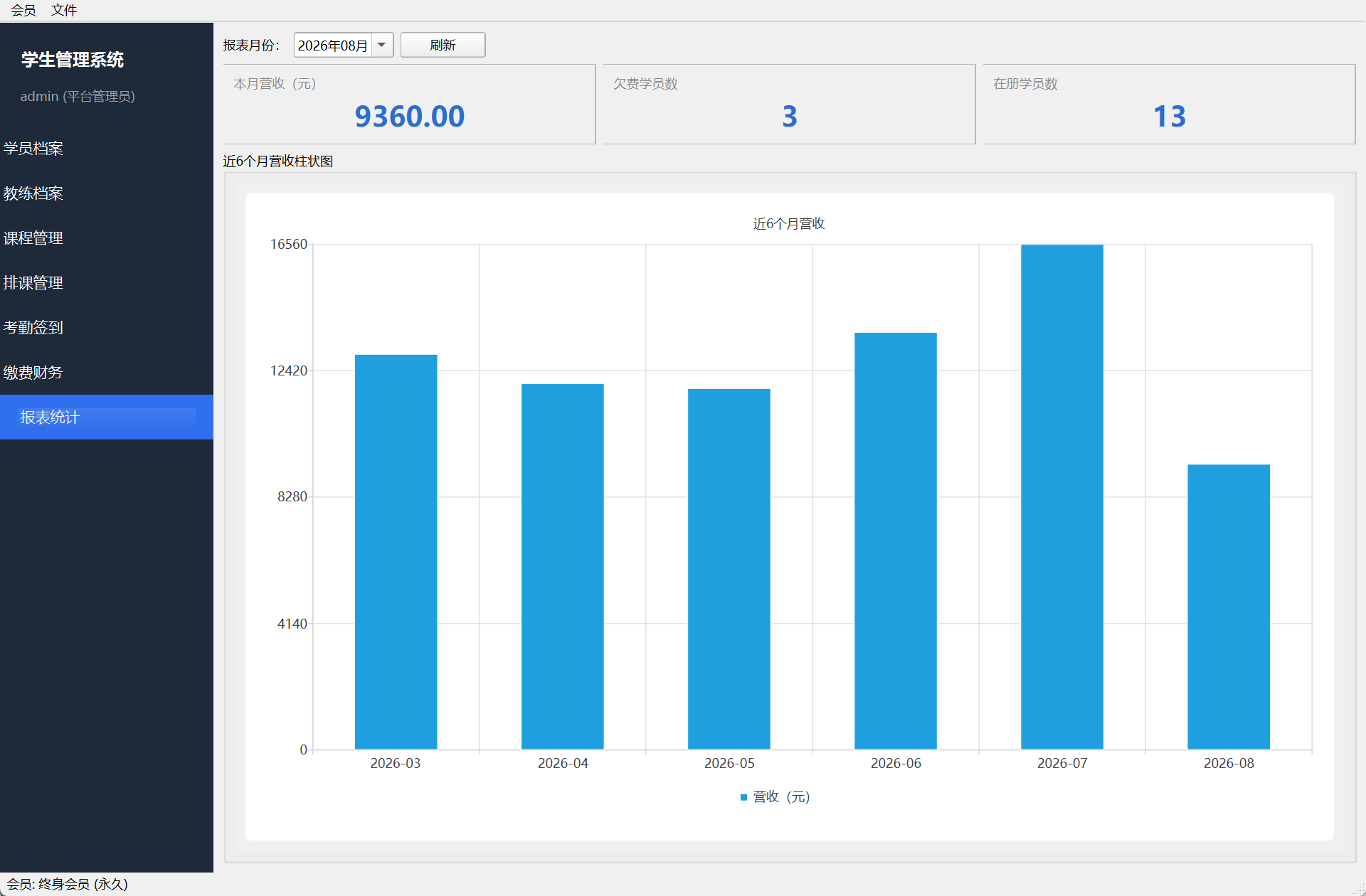
- Monthly Revenue: total fees collected this month
- Students with Overdue Payments: current statistics on students with overdue payments
- Enrolled Students: total number of enrolled students
- Revenue Trend: 6-month revenue bar chart
10. Membership Activation
| Plan | Price | Validity Period |
|---|---|---|
| Monthly Membership | ¥9.9 | 30 days |
| Yearly Membership | ¥98 | 365 days |
| Lifetime Membership | ¥198 | Permanent |
- Activation Methods: choose a plan in the Membership Center and activate it with an activation code or online
- Membership Benefits: unlock all features including students, coaches, courses, scheduling, attendance, payments, and reports
11. Data and FAQ
| Question | Answer |
|---|---|
| Where is the data stored? | All data is stored in the folder where this system is located; no internet connection is required. |
| How do I back up the data? | After closing the system, copy the entire program folder and save the copy. |
| How do I activate membership? | Go to the Membership Center, choose a plan, and activate it. Both activation codes and online activation are supported. |
| What are the system requirements? | Windows 10/11 64-bit. |